5 Standout Features of the Smart No Waste Chicken Feeder
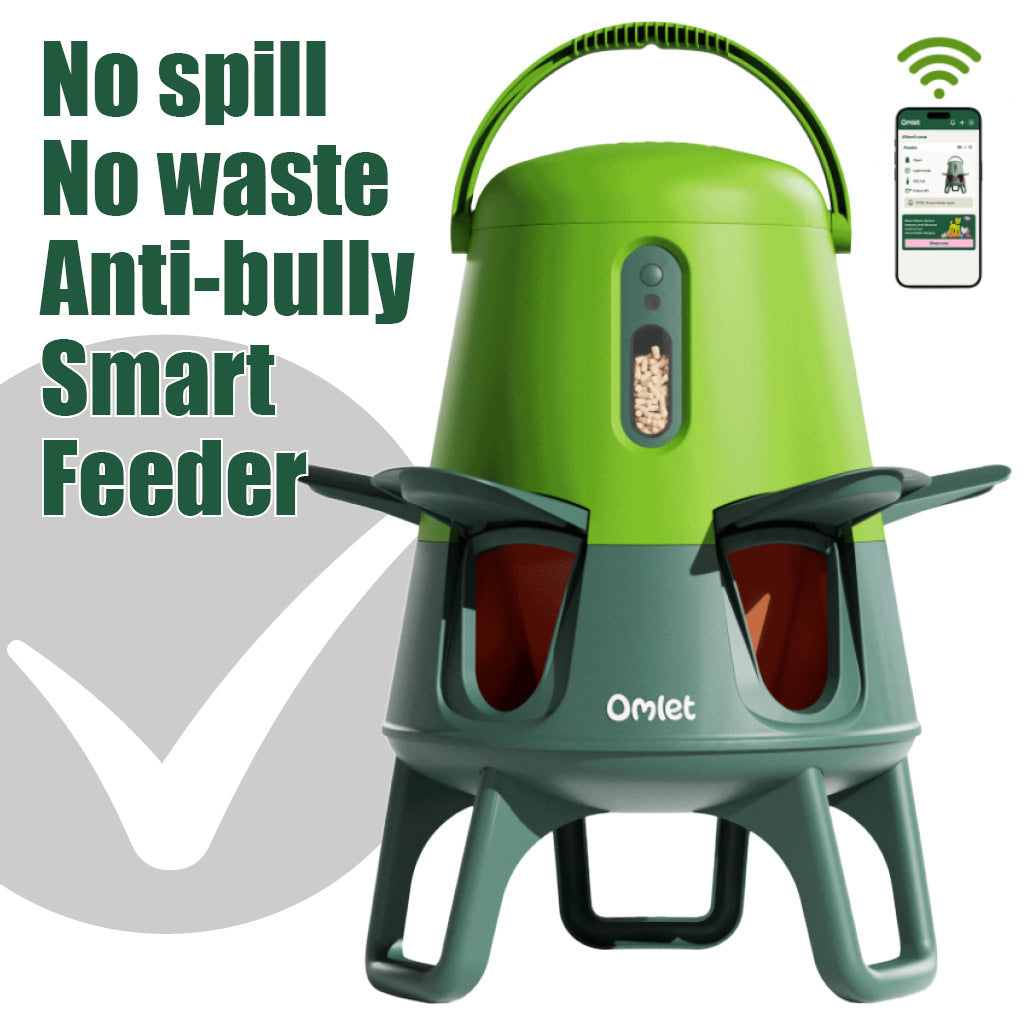
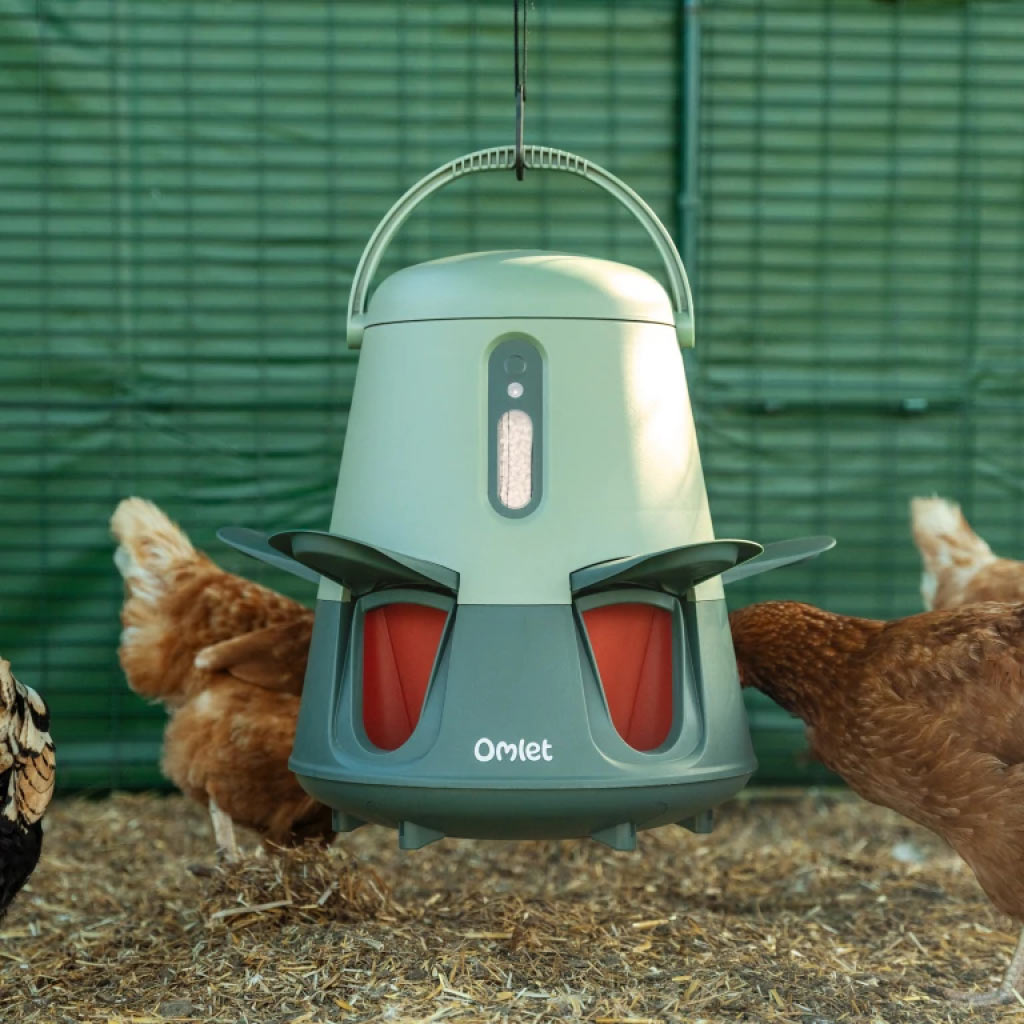
No spill chicken feeder
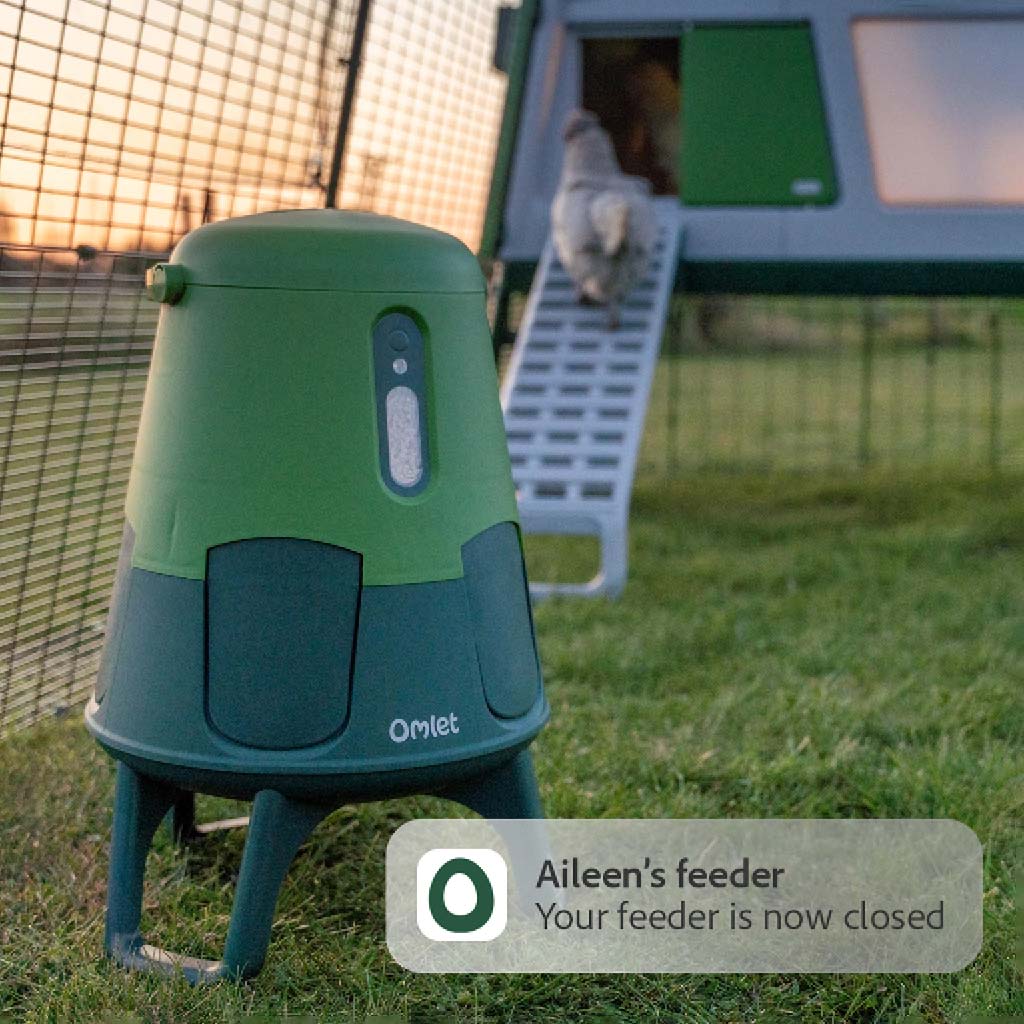
Automated closing at night
Feeds 6 chickens for 7 days
Refill alerts to your phone
Up to 6 months battery life
We’re calling time on mess, pests and wasted cash. Say hello to the world’s most frugal flock feeder.
No Waste Champion
No spill, no mess, no fuss.
We studied the way chickens eat to innovate the feeding experience by design.
1000s of tests, 100s of prototypes, zero waste.
Omlet Smart Automatic Chicken Feeder closes at night.
Be Gone | Twilight Pests
Works straight out the box, no phone required.
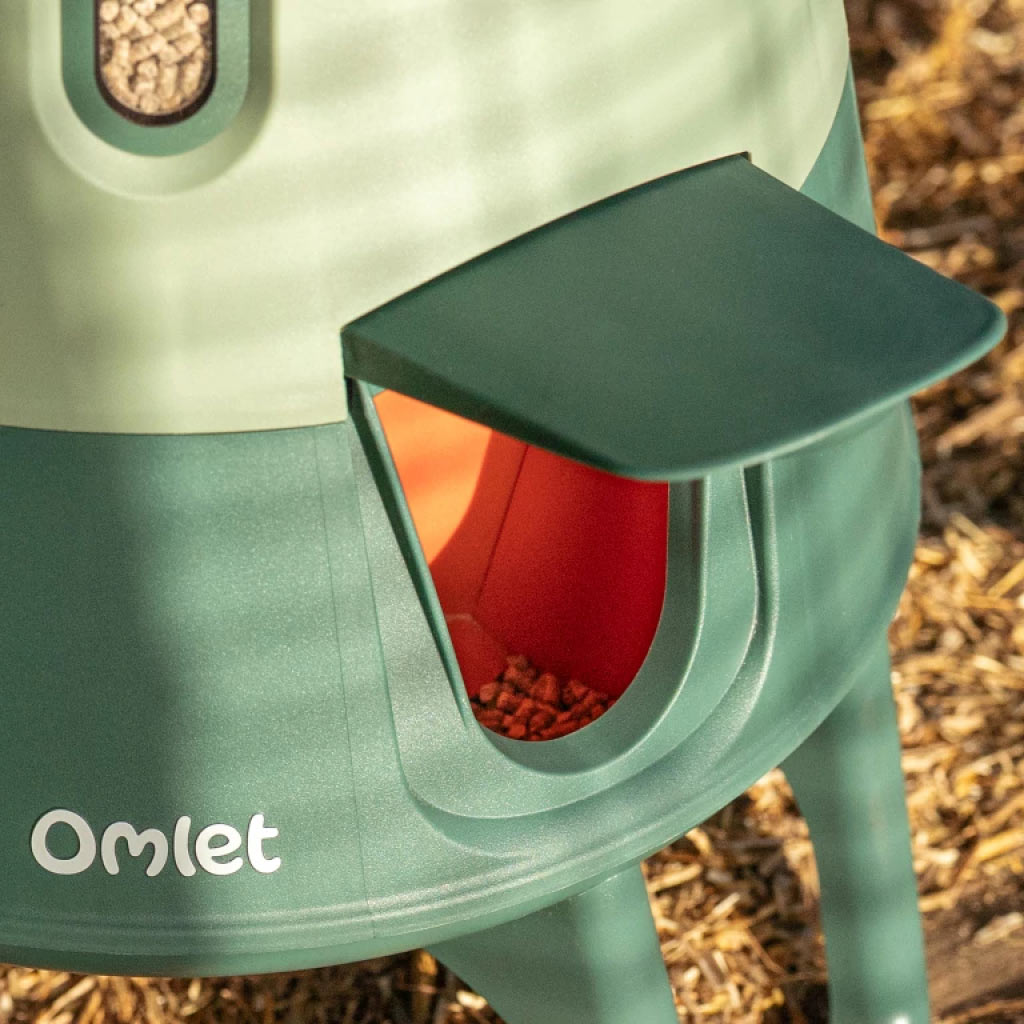
Chicken feeder ports open and close automatically on a daylight sensor. Removing the need to take the feeder in at night.
App-y App-y Days!
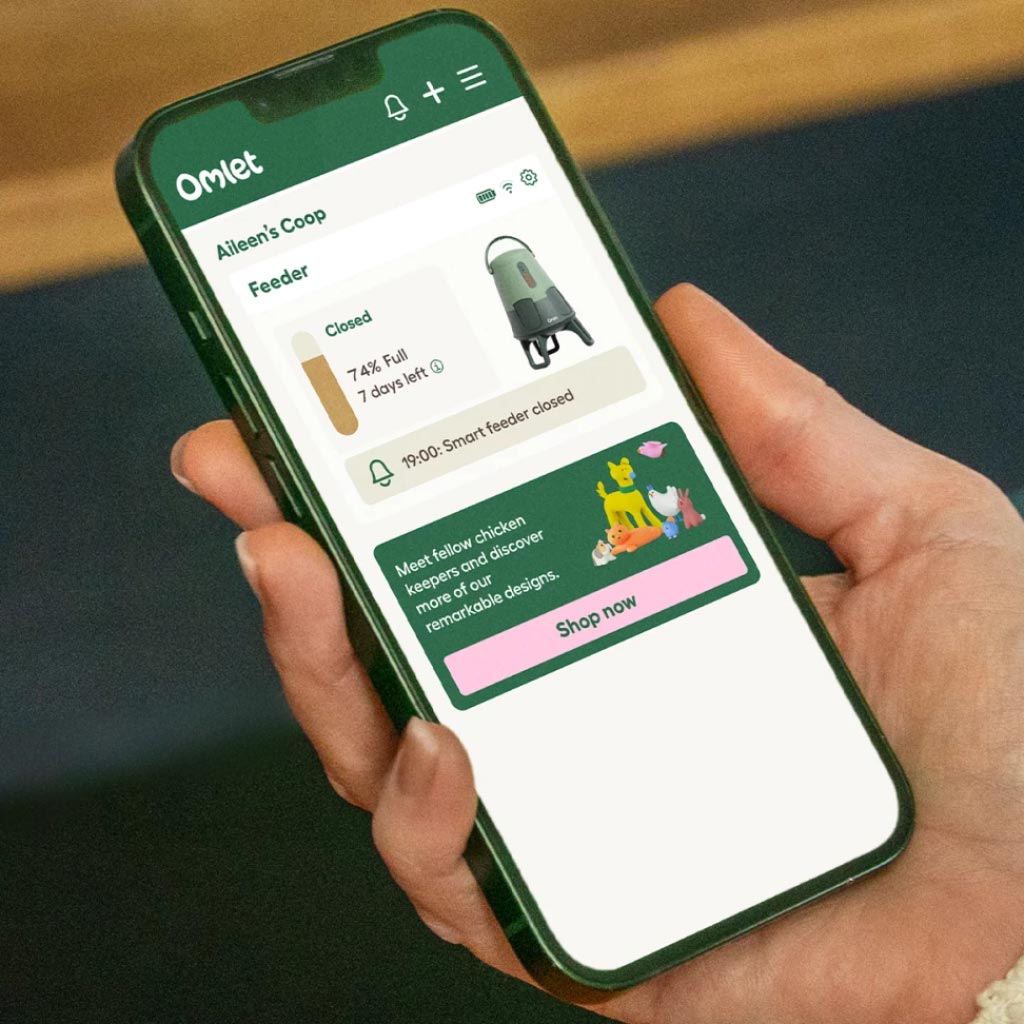
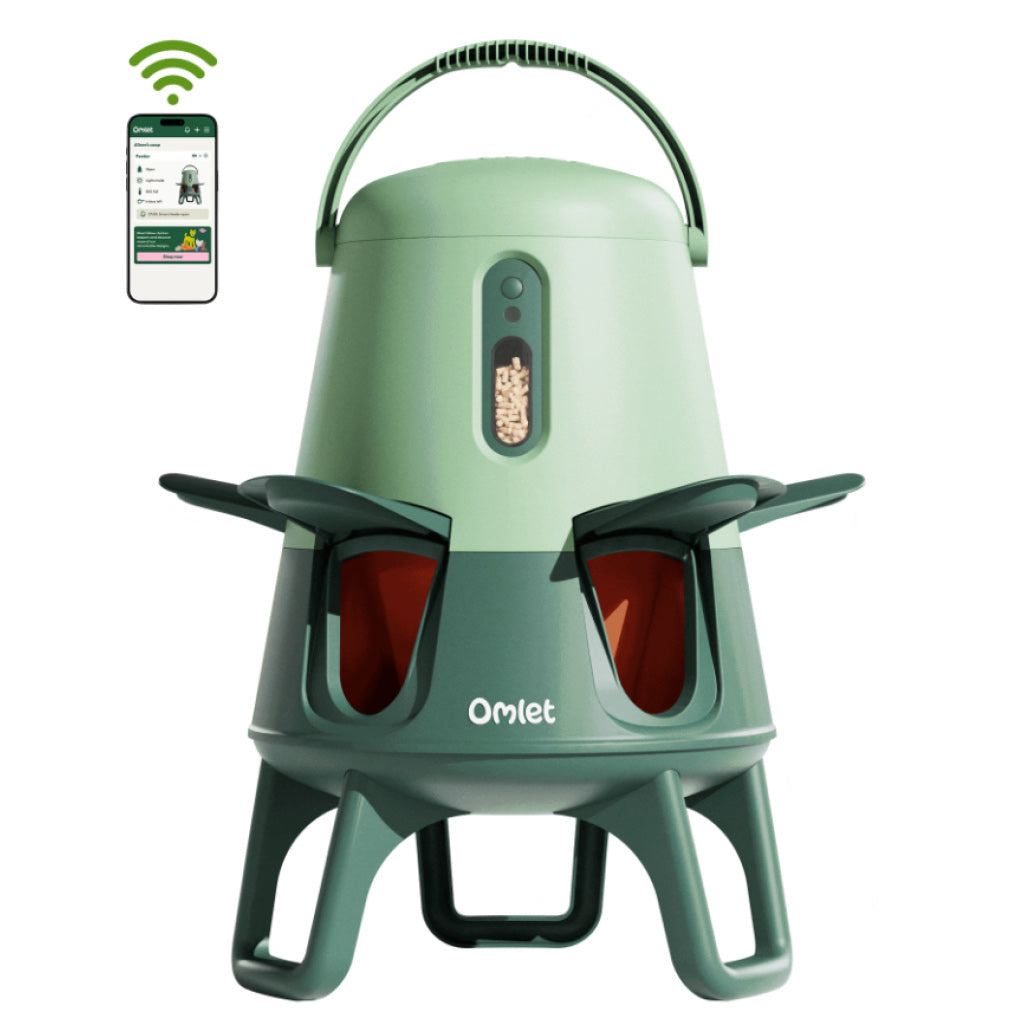
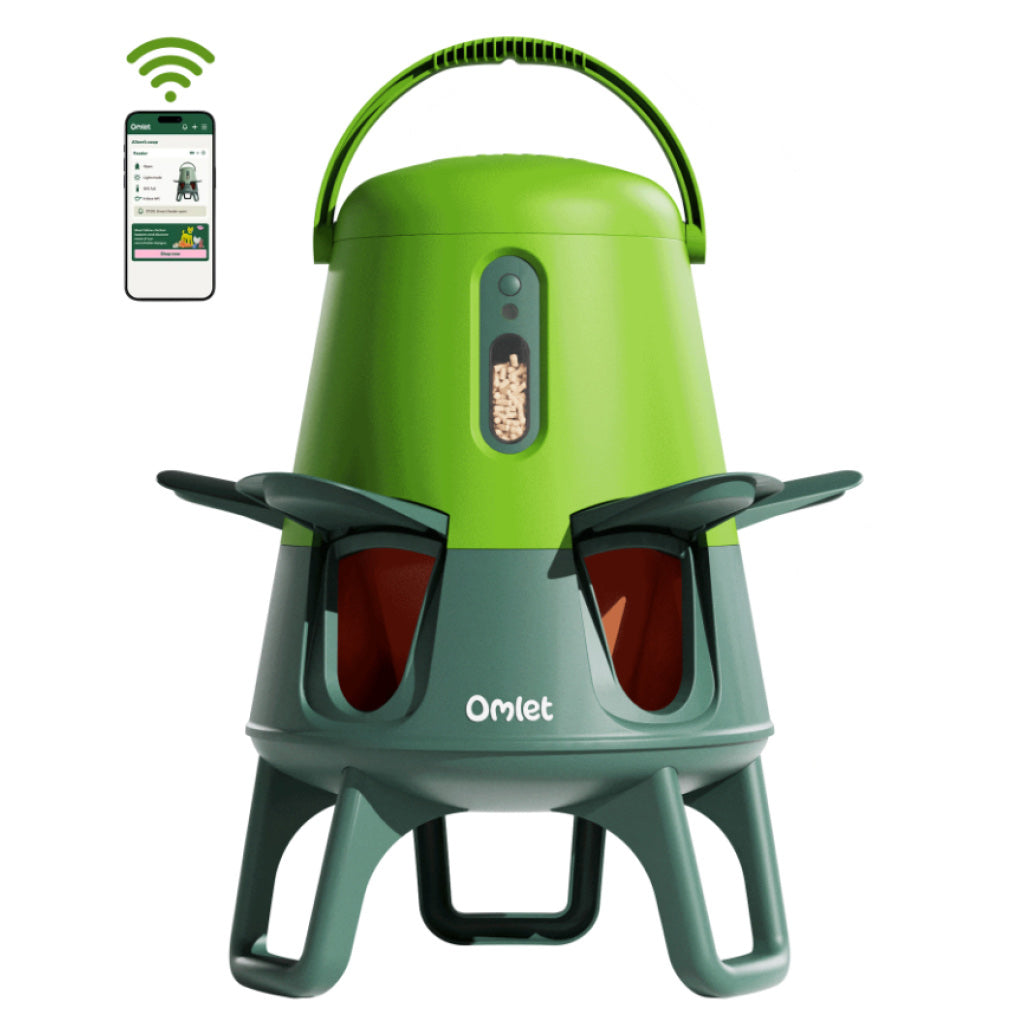
Never run out of feed again. Connect to the Omlet app via WiFi for refill alerts.
Elite app controls and helpful notifications.
Connect to Wi-Fi and check the status of your feeder wherever you are.
A flock that eats together, stays together.
Play Nice, Feed Nicer
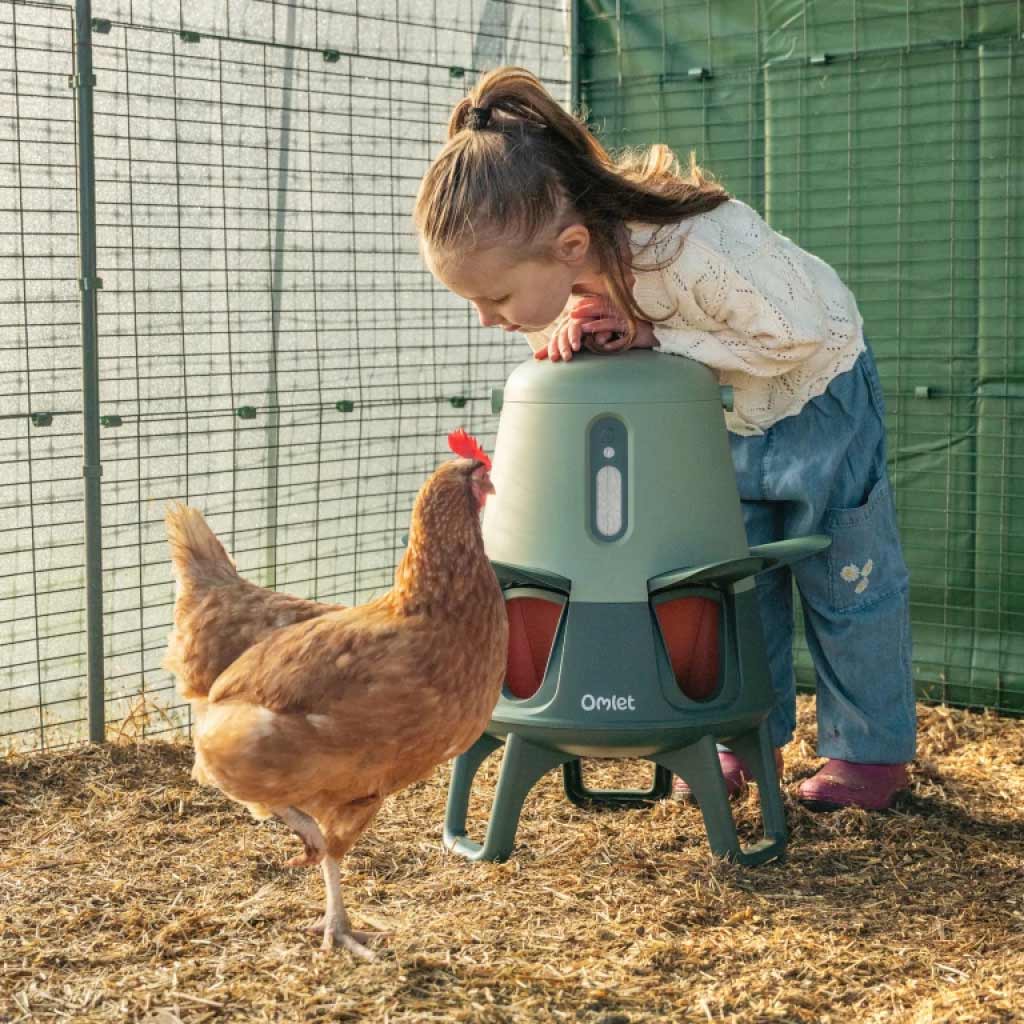
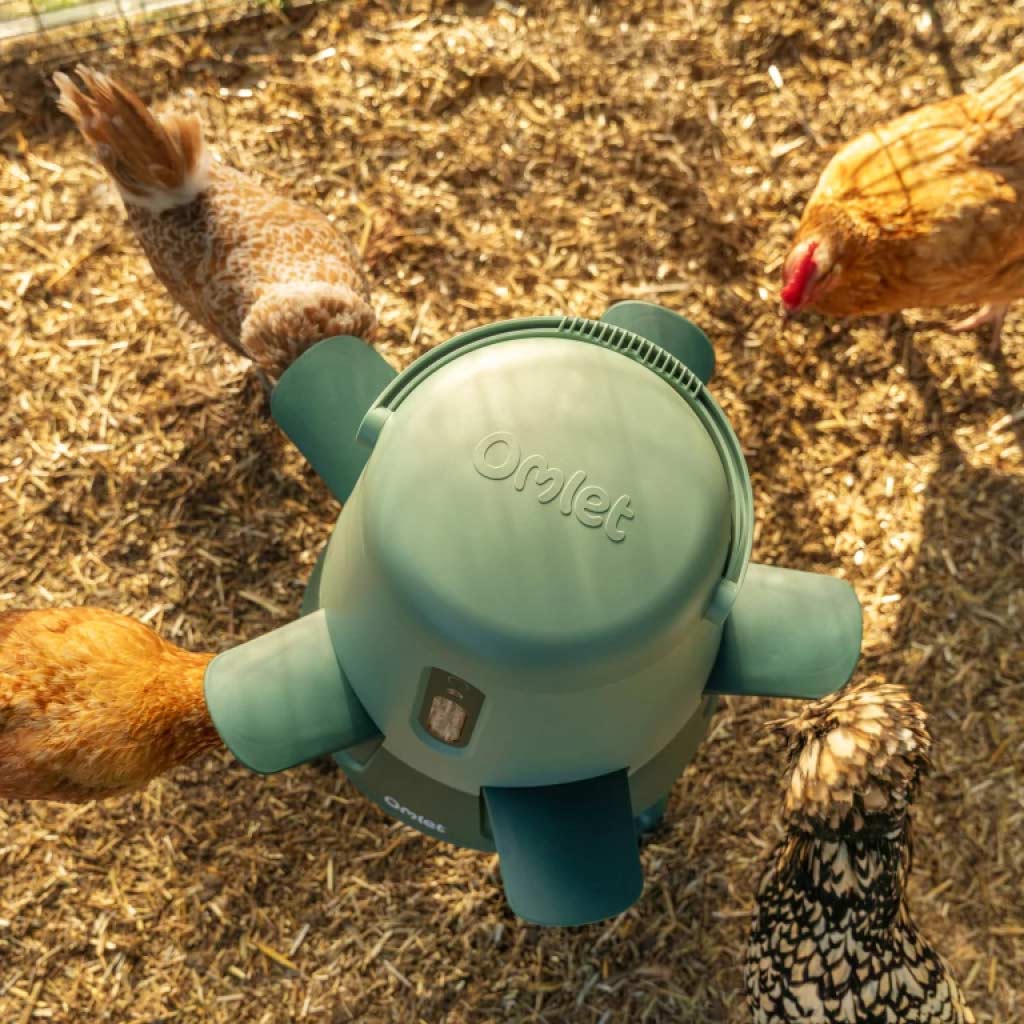
Bye-bye bullying. With a 360 degree five-port design, all your hens can feed in harmony.
Big Feeder, Big Convenience
Feeds 6 hens for 7 days.
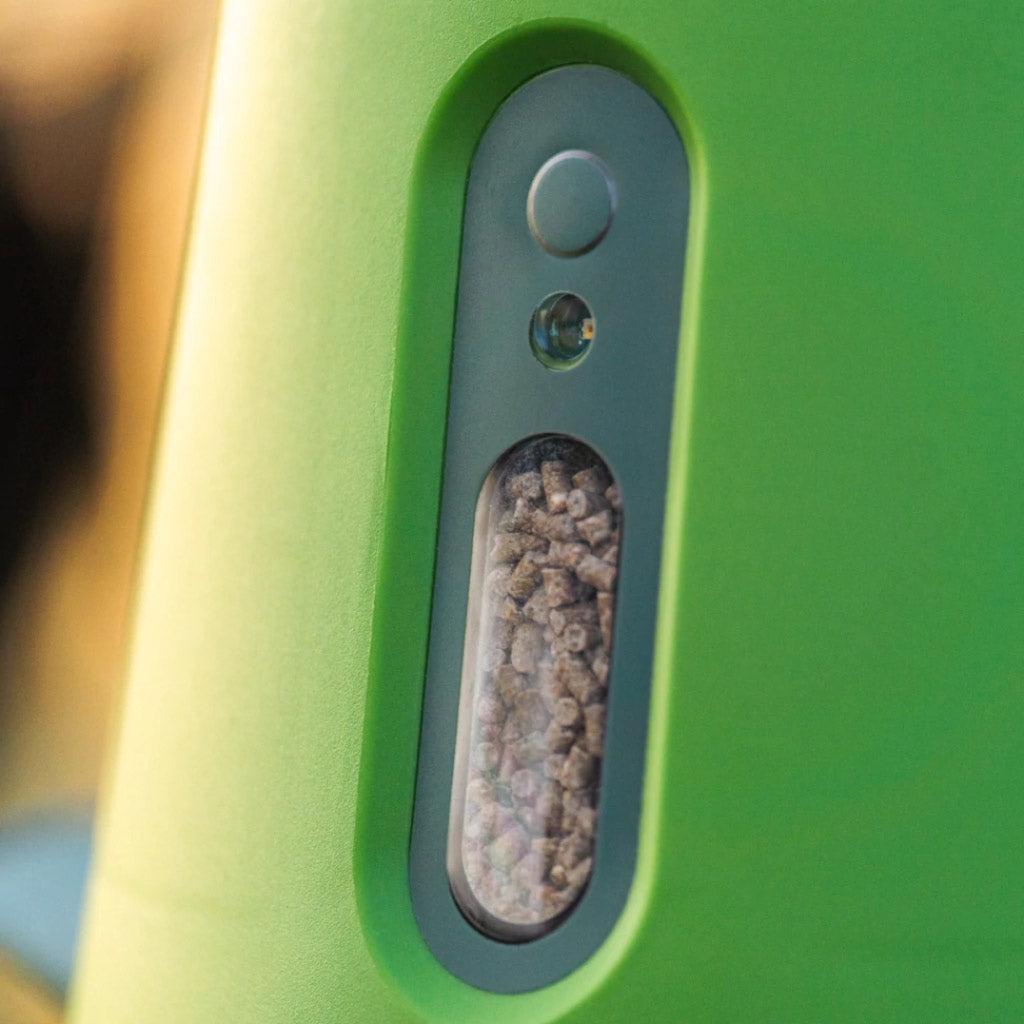
5kg Chicken Feeder has a window to check feed levels.
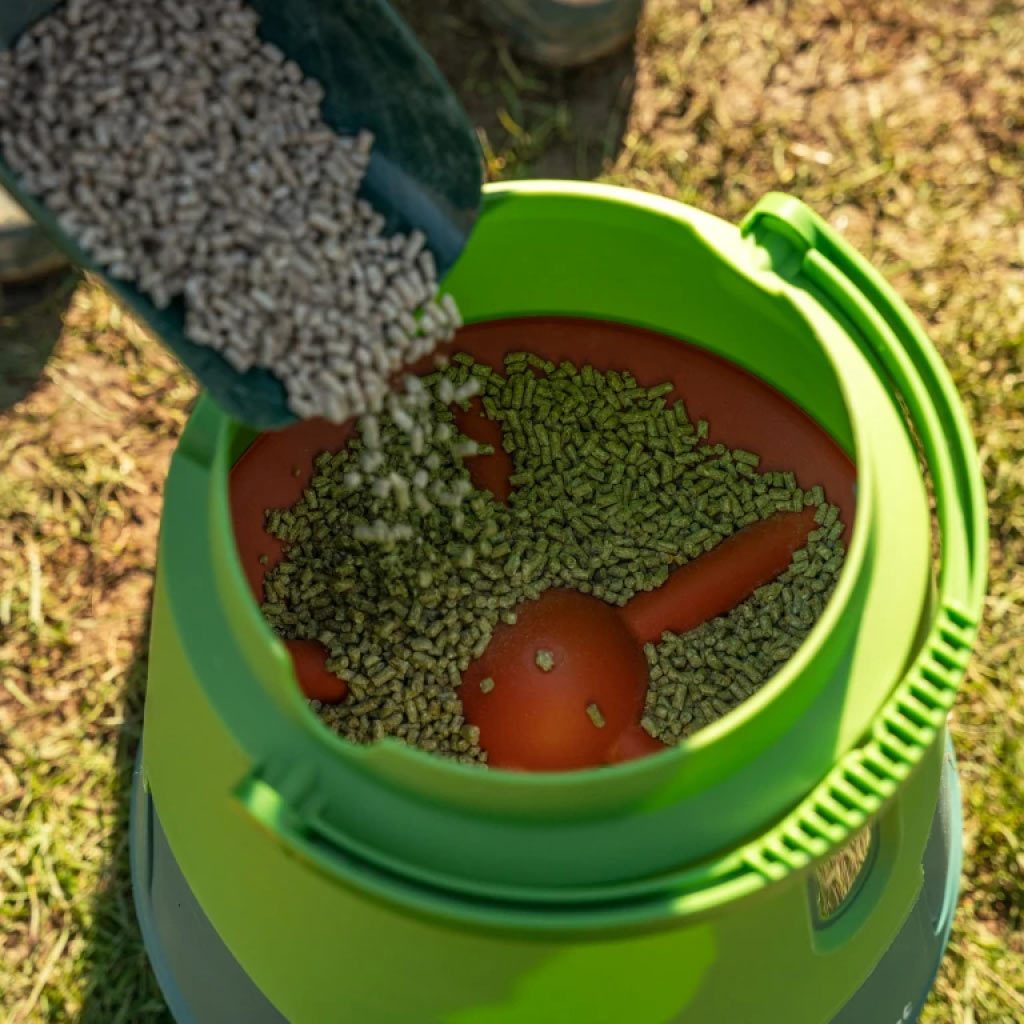
Suitable for dry feed including crumble, seed and pellets.
We’re all about that base, no trouble.
Wind And Shove-Proof
The wide, anti-topple tripod base stands up to strong winds and pushy hens.
Go With The Flow
Gravity funnels feed down to the five ports of the automatic chicken feeder.
Suitable for all dry chicken feed types.
Built for their beaks.
Smart No Waste Chicken Feeder Size & Specs
A | 36cm
B | 51cm
C | 41cm
D | 46cm
A | 7.7cm
B | 9.7cm
A | 14cm
B | 10.7cm
C | 16.5cm
Good To Know
Fully battery powered up to 6 months (4 x AA, not included)
Low battery auto-open failsafe
Soft close mechanism with blockage detection
Easy to carry
Suitable for all dry feed types
Suitable for all breeds
Made from safe BPA & PFA free plastic
Wipe clean
Anti-topple design
Removable legs with option to hang
Set multiple feed time schedules via bluetooth or Wi-Fi
Use with Wi-Fi for hourly feed level monitoring, open/close and battery life status
Share access to the Smart Chicken Feeder through the app with friends and family
Patent pending
Frequently Asked Questions 🐔
The feeder arrives pre-programmed to open and close on a daylight sensor, all you need to do is add 4 AA batteries. If you want to connect to the Omlet app using Bluetooth or Wi-Fi to set the time schedule yourself, watch the videos posted below, or use the instruction manual or go to the Omlet Smart No Waste Chicken Feeder Support knowledgebase.
To keep the feed fresh we recommend you position your Smart Feeder in a sheltered location avoiding rain from any direction, or too much direct sunlight. However, if you are using the Feeder in a non-connected mode, you will need to make sure it picks up enough natural light to be able to determine when to open and close.
If you would like to access all the additional smart features, your feeder will need to be in range of your Wi-Fi.
Hens need 120 grams of feed per day. You will find your feed goes further due to no waste from the feeder.
Yes, out of the box the feeder will be set to a default mode that follows the sunlight to open at dawn and close at dusk. You can connect to Wi-Fi or Bluetooth for more functionality at a later date.
If you don’t want to connect your feeder to the Omlet app, it will work on a default light setting that opens and closes depending on levels of daylight. There is also a manual push button on the feeder that will open and close the feeding ports.
If you connect to Bluetooth or Wi-Fi, you can set the level of daylight you want the feeder to open and close at, or you can program it to open and close at set times of the day. You can use the light or time setting, but it’s not possible to use different settings at the same time.
Yes, if you are using the app you can set up to four separate opening and closing times.
In the sense that you will be able to set the times or light levels when the feeder opens and closes, yes.
However, there is no “Open” or “Close” button in the app that will immediately change the position of the doors.
Yes, there is a manual button on the feeder that allows you to open and close the feeding ports.
Please note, this function cannot be performed remotely through the app.
The Smart Feeder is suitable for the majority of dry feed types, including crumble, seed and pellets.
However the Smart Feeder is not suitable to use for wet/fermented food or grit.
The feeder is suitable for all types of chicken breeds, including bantams.
If you opt for hanging your feeder from the roof of your run you can also adjust the height to suit your flock.
The Smart Feeder has only been designed for, and tested with, chickens, so we don’t recommend using it with other poultry.
You will manually be able to see the feed level using the window at the front of the feeder, but once the feed drops to below 25% capacity, the light will start flashing pink to remind you to refill the feeder.
If your feeder is connected to Wi-Fi you will be able to remotely monitor the feed level and you will get a notification on your phone when it's time to refill.
The feeder has a failsafe mode that defaults the doors to the open position if the battery level goes below 3% before you have time to change the batteries.
If you're connected to the app you will be able to keep track on the battery level and change the batteries before the level gets too low. Additionally, the LED on the front of the feeder will start flashing red when the battery goes below 10%, prompting you to change them.
If the doors to the ports detect a blockage while attempting to close, they will stop and gently re-open again. You can try again by pressing the control button, or else the feeder will automatically try to close again in 5 minutes.
This depends on the strength of your Wi-Fi, but it’s advisable to keep the feeder within 20m of a Wi-Fi source.
To check the range, we recommend connecting your phone to the wireless network you wish to use and standing where you wish to place your feeder. If your phone indicates a good Wi-Fi signal, it should be sufficient to use with the Omlet Smart Feeder.
If your phone only shows one bar of Wi-Fi, or none at all, then you could find the signal is too weak for the feeder to connect and you might be better off connecting to Bluetooth.
The Smart Feeder is designed to reduce spill that attract rodents and other pests. The feeding ports also lock shut during the night (when most pests are active), preventing access to the feed. Additionally, the feeder is made from strong ABS plastic with smooth, gnaw-resistant surfaces.
However, a very determined rodent may be able to gnaw through this material over time, so we recommend you check the feeder periodically for any signs of pest related damage.
Happy Customers 😊
⭐⭐⭐⭐⭐
Fantastic product "I can't tell you how thrilled I and the chickens are with this product. It really is the ultimate chicken feeder. I don't use the smart feature as I just don't feel I need to. It reliably opens and closes, all my hens, even the pekins have no trouble accessing the food and literally ZERO feed finds its way to the floor. Gobsmacked! I get regular feed deliveries and skipped a delivery recently as I had more feed then I needed. The size is fabulous, I fill it up just once a week now, but you can clearly see when it's running low from the transparent meter and also the little blinking light. But the best thing for me is just not having to bring the feed in and out each day (never had rats, and didn't want 'em either) The reliable closure of the ports and no feed making its way to the floor leaves me confident the feeder will not attract rats even left out 24/7. Absolutely worth every penny." Caroline, UK
⭐⭐⭐⭐⭐
The perfect automated feeder at last! "I am so impressed with this feeder- it is exactly what I have been looking for! It was so easy to set up literally put the batteries in ,enter the WiFi password and it was up and running. I've set the timings to the same as the automatic door and this morning I was up to see both door and feeder opening up in unison - worked perfectly! I was concerned my rather suspicious chickens would be wary but not so- heads were in there straight away and eating the layers pellets. This is a brilliant piece of kit and I am absolutely delighted with it." Karen, UK
⭐⭐⭐⭐⭐
Clucking great! Pre-ordered the Auto feeder and had it for around a month now. As anticipated the girls have all taken to it without any fuss and use it avidly. It it definitely a no mess feeder and I’d recommend it if you’re having issues with rats. This wasn’t our primary reason for purchasing it but it is reassuring that it will prevent any unwanted pests. Not having to remove the feeder each day is a big plus. Our hens are located at the top of our paddock so we no longer need to trek up there in the dark winter evenings when it’s often wet and cold. The coop has Auto doors too and we’ve installed a remote camera, making the end of day checks a breeze(less) affair. The build quality is on par with Eglu products and should last a while. I can’t comment on battery life yet but suspect they will be ok for around 6 months at least. Nick, UK
Swipe for more
Quick Start Guide Get Your Feeder Up & Running
Connect Your Feeder to the Omlet App via Wi-Fi
Connect Your Feeder to the
Omlet App via Bluetooth
How to Clean Your Chicken Feeder
Chicken Feeder Safety Features & Reattaching the Port Doors
Clearing a Potential Feed Blockage from Your Chicken Feeder